4.3. Register
4.3. Register
You can display or change various registry value.
(1) Selection 『[F1]: Service』 → 『2: Register』. The register menu screen will be displayed as shown below. Detailed configuration of the menu will vary depending on the setting of the robot.
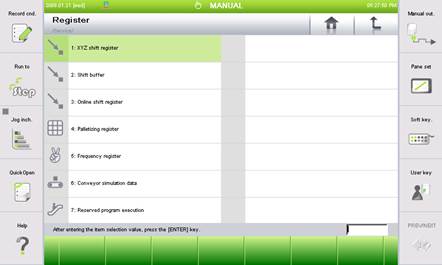
Figure 4.56 Register details selection screen
(2) Selection the necessary item and enter the sub menu.