8.19. R212SVG moving tip consumption preset
8.19. R212SVG moving tip consumption preset
User can manually set wearing quantity of move tip of Servo gun.
For details, refer to 『Hi5a Controller Spot Welding Function Manual』
(1) Following screen is displayed if pressing the [R..(NO)] key → [212] → [ENTER(YES)] key.
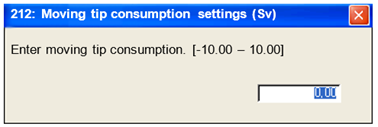
(2) Press the [ENTER (YES)] key after inputting wearing quantity of move tip with the [Number] key.

l
l
l
l This function cannot be used when Robot operates.
l This can only be set in the spot welding environment. The spot welding item in 『[F2]: System』 → 『5: Initialize』 → 『3: Usage setting』must be set to "Enable".
l When the actual abrasion of the tip is higher or lower than the set value, be careful since it can cause pressurization force misalignment or workpiece interference etc.