5.4. Register Font
5.4. Register Font
The character recognition function is managed for individual models.
Characters are recognized by comparing the similarity of the currently grabbed image with fonts of individual preregistered characters.
The character recognition setting procedure is as follows:
Click the [Tool] button to open the Font Registration window.
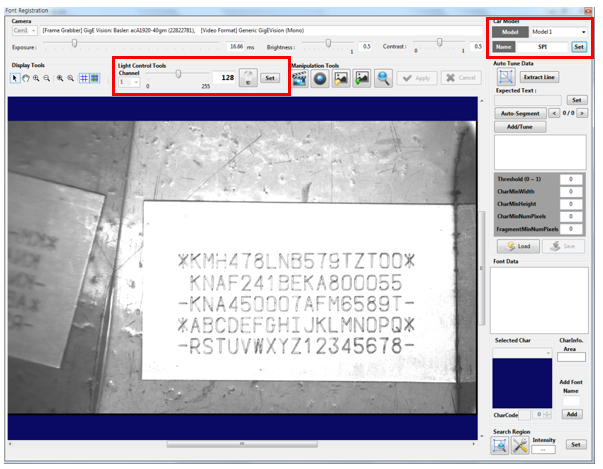
Enter the Model No. and Model Name and then click the [Set] button. Set suitable lighting value to recognize characters with Light Control Tools and click the [Grab] button and then the [Live] button to check the image. Once the lighting is configured, click the [Set] button.