5.4.2. Register Individual Fonts
5.4.2. Register Individual Fonts
The individual font registration function registers individual characters of “failed recognition” or “incorrect recognition” without the Auto Tune function.
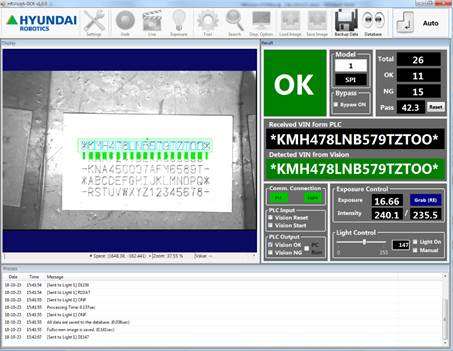
If character recognition is performed for characters with unregistered fonts, the following NG will occur.
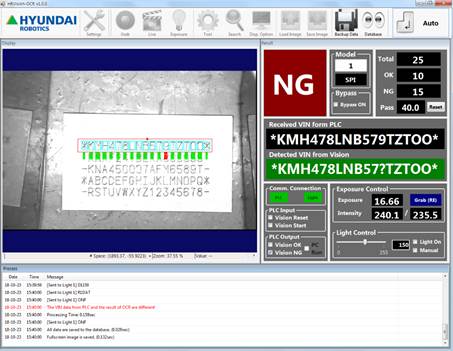
Click the [Tool] button in Manual mode to open the [Font Registration] window.
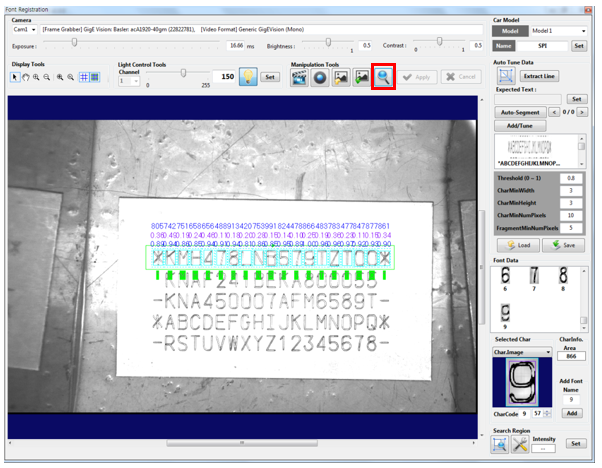
Click the [Search] button to display unregistered characters in red.

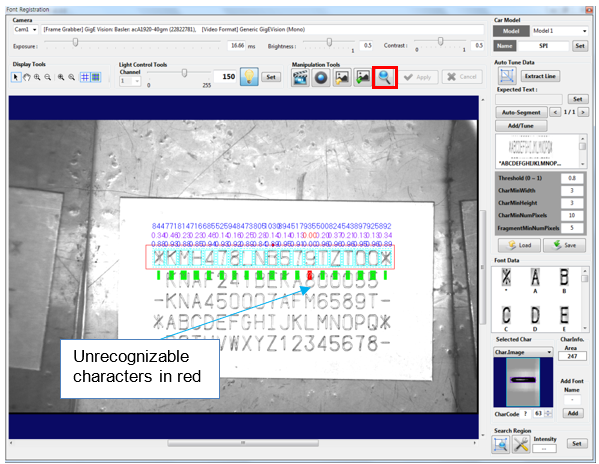
Click the unrecognizable characters, enter the corresponding text into [Add Font], and then click the [Add] button.
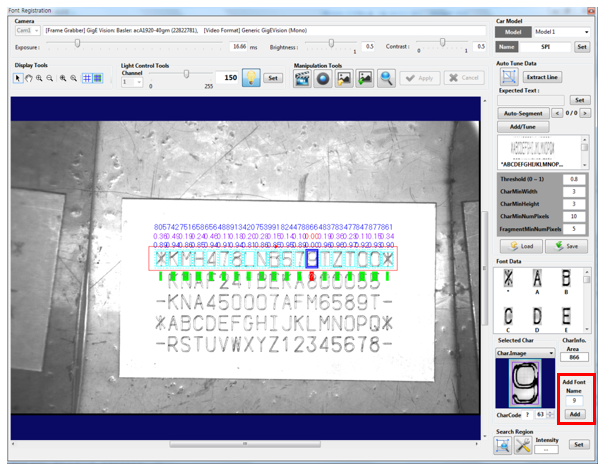
Added fonts will be displayed in [Font Data]:
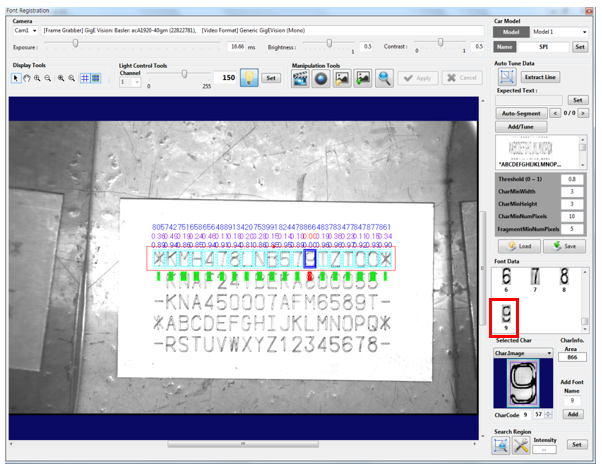
Click the [Save] button and then the [Search] button to validate character recognition.
Check the auto recognition performance in connection with the PLC or robot.