3.4.2. How to Operate
3.4.2. How to Operate
(1) Select Manual mode.
(2) Move the robot/servo hand axis to the point where to start squeezing and press [Record] key to record the step.
(3) After entering HANDPRES command, enter 『squeeze offset distance』, 『squeeze force parameter』.
(4) To do so, choose a program for Teaching and select 『[F6]: Command input』 → 『[F6]: Handling』 → 『[F6]: HANDPRES』.
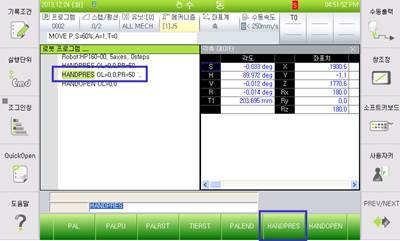
Figure 3.6 HANDPRES Command Input