4.3.3. Monitoring state of mastering test
4.3.3. Monitoring state of mastering test
The monitoring window displays mastering test state. It shows last execution date, residual time before test and progress of each mastering group.
It can be set by selecting 『[F1]: Service』→ 『1: Monitoring』→ 『25: Mastering test state』
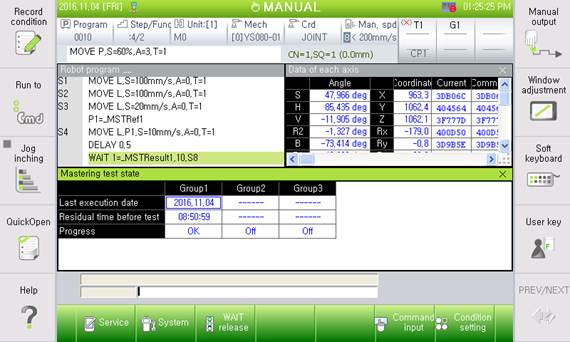
Figure 4.15 Monitoring mastering test state
The progress of mastering test has four cases.
l Off: not use SafeSpace or disable mastering test
l Error: result of mastering test was fail
l OK: result of mastering test was pass
l Ready: mastering test can be executed
l Play: mastering test is running
l Time limit: robot can move for mastering test after error state