2.1. Settingthe function
2.1. Settingthe function
Select robot axes to be tested.
By default, it is set that all the robot axes are tested.
As shown in the following figure, click [System] → [3. Robot parameters] → [12. System maintenance]. Then, you may check/uncheck check boxes for selecting/deselecting axes to be tested.
Reference value of 0 for item-specific test means that no reference value is specified.
In this case, the reference value will be set at the mean value of the results of 5 drives at the initial test.
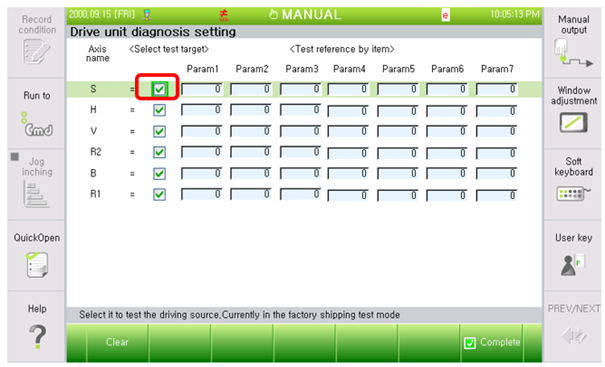
Figure 2.1 Window for setting driving parts anomaly test