3.2. Individual/Cooperation Switch
3.2. Individual/Cooperation Switch
n Function switch by key operation
There are two ways to switch the cooperation control operation in manual mode; method using the allocated key or method using the R code. Details are shown in the table below.
Table 3‑1 Function switch by key operation
Key operation | Function switch |
User key | Manual individual mode (Indi visual) ↔ Manual cooperation mode (MASTER/SLAVE) |
SHIFT + User key | Applicable only for SLAVE SLAVE manual cooperation mode ↔ CMOV record mode |
R351,0 | Manual individual mode |
R351,1 | Manual cooperation mode, designate master |
R351,2 | Manual cooperation mode, designate slave |
R351,3 | CMOV record mode, designate SLAVE jog mode |
n Manual mode individual condition
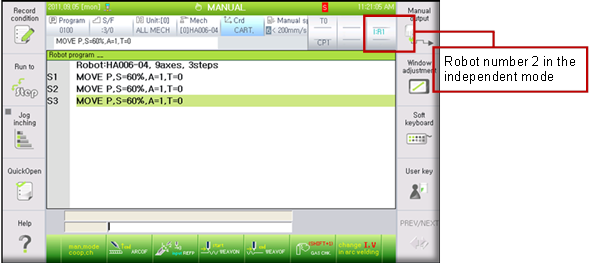
In this condition, each robot can be individually controlled with jog.
n Manual mode cooperation condition (master designation)
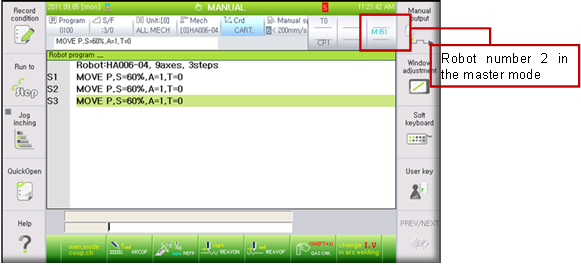
This mode is to operate in a synchronized manner following the movement of the master while in the mode that the slave is set.
n Manual mode cooperation condition (slave designation)
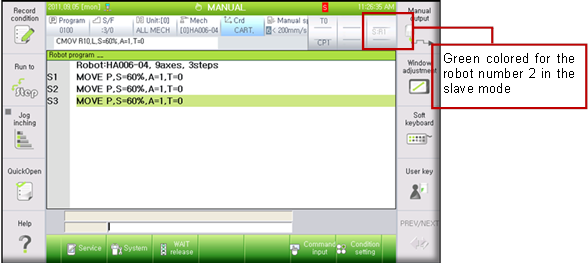
This is the condition to designate the slave to follow the movement of the master.
n CMOV record mode, SLAVE jog mode condition
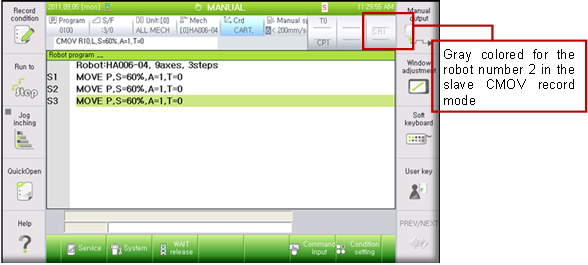
This is the condition to record CMOV, check the teaching position by moving the step of CMOV command forward/backward and jog control the slave based on the master robot’s end effecter coordinate.
Caution
l When the common coordinate is not set, it is impossible to switch the cooperation role between master and slave in the individual condition.
l In manual cooperation condition switch through R code, the R351,3‘CMOV record condition’ can only be done in ‘manual cooperation condition (slave designation mode)’(R351,2).
l To change the ‘CMOV record condition’ using the allocated F key, first change the robot role to slave using the F key and then use the SHIFT+F key to change the condition.