6.5.3. Encoder offset and Selection
6.5.3. Encoder offset and Selection
l It is necessary to compensate encoder data for the basic position of each axis
l Refer to 『Encoder offset』in the Controller Manual for details
[Encoder offset Screen]
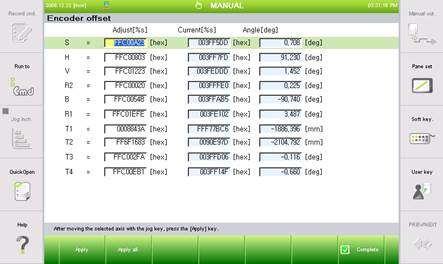
(1) Select the axis, move the axis to a standard position using the [Axis operation] key, and press the 『[F1]: Apply』key.
(2) Place the robot’s entire axis as the standard position using the [Axis operation] key and press the 『[F2]: Apply all』 key to carry out encoder offset correction for the entire axis.
(3) To save the set data, press the 『[F7]: Complete』 key. The [ESC] key will prevent the changes being saved.
 Warning
In case of encoder DATA compensation after replacing motor, check if the motor power is on with the power 『ON』