2.10.1. Manual selection of multiple guns
2.10.1. Manual selection of multiple guns
Multiple guns can be assigned manually by R214.
The procedure of selecting G5 (master) and G6 (slave), which are stationary servo-guns, as multiple guns while G3 (EQless-gun) is connected as a robot-gun is as follows.
(1) Select G5 by R210, 5.
(2) When pressing R214, the following screen will be displayed. Select “G6” as the simultaneous welding gun, and click [OK].
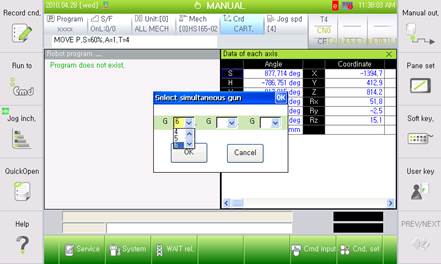
(3) The status of the selected gun will be displayed on the status flag, as follows.
