4.4. Save and Open Model
4.4. Save and Open Model
You can save and open the hierarchy structure of a specific model and the related child models as an hrs document.
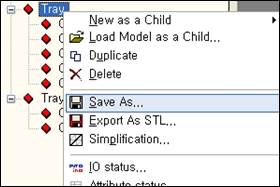
n Save model
① Open the popup menu of the model to save and select Save as.
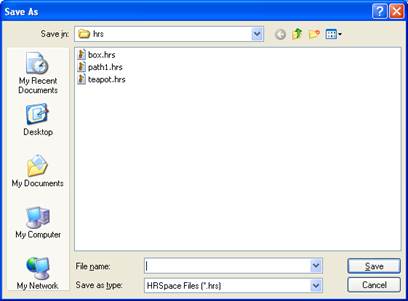
② The following window appears. The file name is set as the model name by default but can be changed.
n Load Model as a Child
① Open the popup menu of the model to become the parent and select “Load Model as a Child”.

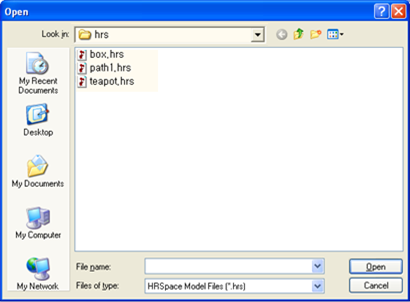
② The following window appears. Select the file and click on Open.
③ The model is opened as the child model as shown below.
